Procurement Software vs. Excel/Spreadsheets
Excel is a general-purpose spreadsheet tool that procurement teams adopt because it’s already installed, not because it was designed for the job. The comparison between the two isn’t about which tool is “better” in the abstract — it’s about the specific point where a spreadsheet stops being able to enforce the rules procurement actually needs, and what changes once something else does
Roughly 80% of mid-market companies still run procurement on some combination of email and spreadsheets. Most of them are not doing anything wrong — they’re doing what worked when the team was five people and twenty purchases a month. This article looks at where that setup keeps working, where it quietly stops, and what a dedicated procurement platform adds once it does.
What’s the Real Difference Between Procurement Software and Excel?
Procurement software enforces process; Excel records it
A spreadsheet can hold a list of purchase requests, a column for approval status, and a running total of spend. What it can’t do is stop someone from approving their own request, block a purchase that exceeds budget before the money is committed, or notice that a supplier’s risk profile changed since the last time someone happened to check.
That distinction is the whole comparison. Excel is a record of what people did. Procurement software is a system that shapes what people are allowed to do — approval routing that can’t be bypassed, budget checks that run before commitment instead of after, supplier and inventory data that update themselves instead of waiting for someone to re-enter them. Neither is a value judgment on Excel as a tool. It’s a statement about what each one was built for.
Where Does Excel Still Work for Procurement?
Excel is still the right tool for financial modeling, ad hoc analysis, and very low-volume purchasing — and any honest comparison has to say so before it says anything else.
- Financial modeling and scenario planning
Budget forecasting, what-if analysis, and one-off calculations are exactly what spreadsheets were built for. No procurement platform should try to replace this, and most don’t try. - Very early-stage, very low volume
At five purchase requests a month with one approver, a shared sheet genuinely works. The problems start when volume, headcount, or entities multiply — not before. - Downstream reporting
Most procurement platforms, APSentra included, export structured data straight to Excel for anyone who wants to keep analyzing it there. Adopting procurement software doesn’t mean giving up spreadsheets — it means not depending on them for things they were never built to do.
Where Does Excel Break Down as Procurement Scales?
Excel breaks down for procurement once volume, headcount, or entity count outpaces what one shared file and an inbox can enforce
The risks don’t appear all at once — they compound quietly, month over month, until something forces them into view.
Budget overruns nobody sees coming
There’s no mechanism in a spreadsheet to check a purchase against budget before it’s approved. Finance finds out weeks later, after the PO is raised and the obligation is already live.
Maverick spend that goes uncontrolled
Without a structured intake process, people buy from whoever they already know, at whatever price is offered. Off-contract spend like this typically inflates total procurement cost by 15–30%.
Supplier risk tracked nowhere at all
Supplier reliability, compliance status, and performance history live in someone’s memory or a folder of old emails, not in a system. A key supplier’s risk profile can change and nobody notices until it causes a problem downstream.
Stock counts that are wrong the moment they’re written down
A manually updated inventory sheet is a snapshot of the past by the time anyone reads it. Stockouts and overstock get discovered on the warehouse floor, not in a plan.
Zero real audit trail
When approvals happen over email and records are scattered across a dozen files, “audit readiness” means a reconstruction project under deadline pressure, not something the system already has on hand.
Chaos that multiplies with scale
Every new entity, team, or geography compounds the existing problems rather than adding to them cleanly. A process that worked at 50 purchases a month is usually unworkable well before 500.
Procurement Software vs. Excel: Capability by Capability
Here’s the same comparison broken down by specific capability — what each one actually does today, not in theory.
| Capability | Excel & email | Procurement software |
|---|---|---|
| Purchase intake | Requests via email, Slack, WhatsApp, or a hallway conversation | Structured digital intake form; every request logged the same way |
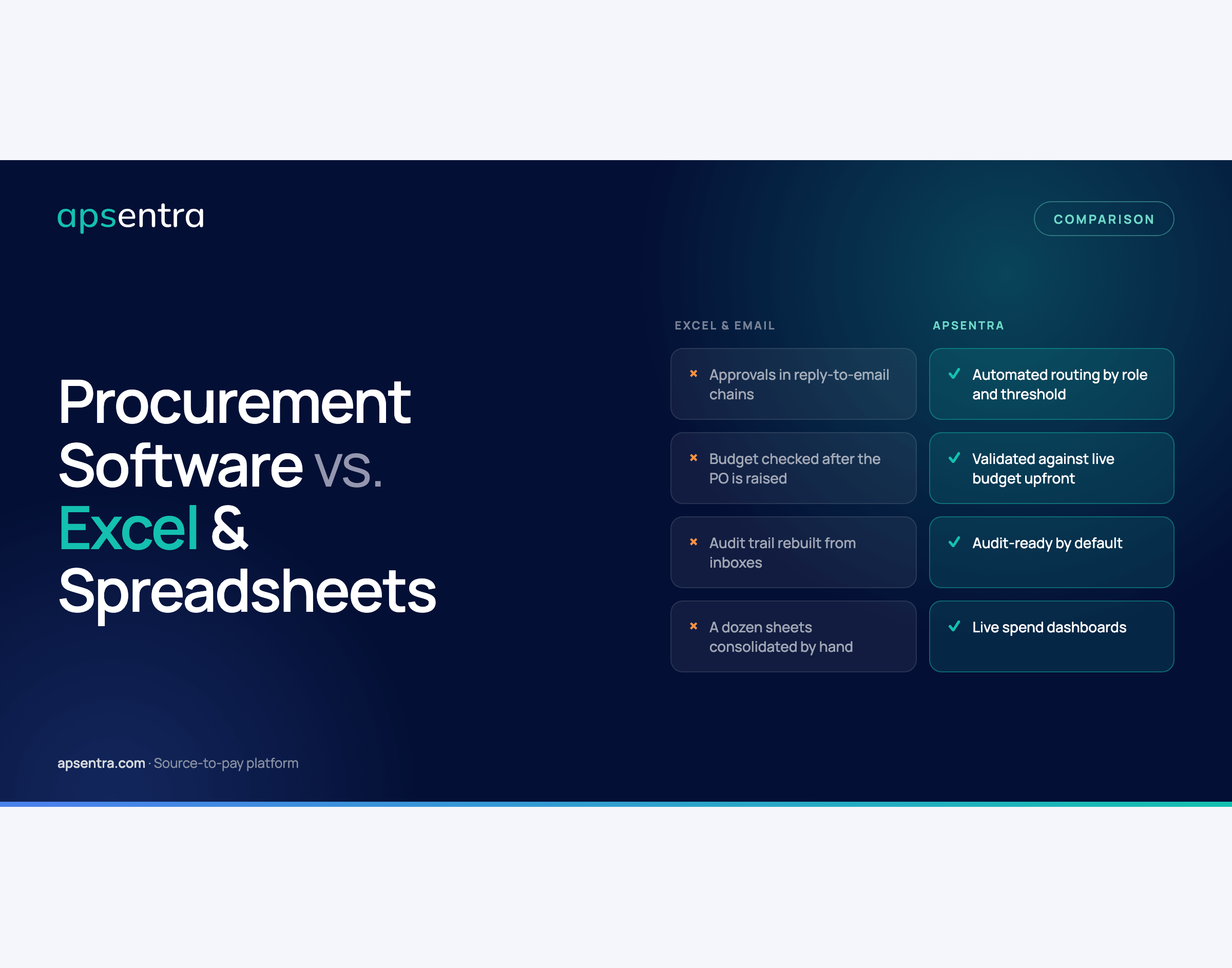
| Approvals | Reply-to-email chains — easy to skip, forget, or approve twice | Automated routing by role, department, and dollar threshold |
| Budget control | Checked manually, usually after the PO is already raised | Validated against live budget before a purchase is approved |
| Supplier sourcing | Chosen by familiarity — whoever the requester already knows | Verified supplier pool with competitive RFQs and side-by-side bids |
| Supplier & risk management | No centralized risk profile — tracked nowhere, or by memory | Centralized supplier profiles with continuous risk and performance monitoring |
| Invoice matching | Manual reconciliation against a spreadsheet, prone to duplicate payments | Automated three-way match between PO, receipt, and invoice |
| Inventory & stock control | Manual counts updated by hand, disconnected from purchasing | Automated, real-time stock tracking tied to procurement, with replenishment triggers |
| Audit trail | Reconstructed after the fact from inboxes and chat history | Every action timestamped and attributed — audit-ready by default |
| Spend visibility | Someone manually consolidates a dozen sheets when finance asks | Live dashboards by department, entity, category, and period |
| Scaling | Works at 50 purchase requests a month, breaks down well before 500 | Built for multi-entity, multi-geography growth from day one |
| Process knowledge | Lives with whoever owns the master spreadsheet — a single point of failure | Built into the system; visible to every role that needs it |
Want this as a printable one-pager to share with finance or leadership?
Download the 1-page comparison PDF
What Can Procurement Software Do That Excel Structurally Can’t?
Most of the table above is about doing the same job faster and with fewer gaps. Two capabilities are different — they aren’t things a spreadsheet does poorly, they’re things it can’t do at all, no matter how well it’s built.
Supplier and risk management, built into the system
A spreadsheet can hold a list of suppliers. It can’t watch them. Procurement software maintains a live, centralized profile for every vendor — performance history, compliance status, and risk signals, updated continuously rather than reviewed once a year, if that. When a supplier’s risk profile changes, the system surfaces it before it becomes an operational problem instead of after. There’s no equivalent way to build this in Excel short of a manual review process that someone has to remember to run, on a schedule nobody enforces.
Automated inventory and stock management
A manual stock sheet is a snapshot of the past, accurate only until the next transaction happens and stays wrong until someone remembers to update it. Procurement software ties inventory directly to purchasing: stock levels update in real time as orders, receipts, and consumption happen, and replenishment triggers fire automatically before a shortage turns into a production or fulfillment problem. Recreating this in Excel would mean someone manually re-entering counts constantly, which is precisely the kind of process that quietly stops happening the moment the team gets busy — which is also exactly when it matters most.
How Much Does Staying on Excel Actually Cost?
The cost of staying on Excel is mostly invisible until you add it up. Excel itself is free, or already paid for as part of Office — but the real cost shows up elsewhere:
- 3× longer approval cycles in spreadsheet-based procurement compared to structured workflows, because approvals depend on someone checking an inbox at the right moment.
- 15–30% inflated procurement cost from maverick, off-contract spend that a structured intake process would have caught.
- Weeks of audit prep instead of an audit trail that already exists, because records have to be reconstructed from inboxes and chat history under deadline pressure.
- Duplicate payments and reconciliation errors from manual invoice matching against spreadsheets, a cost that compounds with transaction volume.
Procurement software has a visible subscription cost that Excel doesn’t. But companies that make the switch typically report payback within 6–12 months — through sourcing savings, recovered off-contract spend, and hours no longer spent reconciling sheets by hand — and see up to a 35% reduction in total procurement costs and 95%+ spend visibility coverage once the platform is fully in use.
When Should a Company Move Off Excel for Procurement?
There’s rarely one dramatic moment that makes the decision obvious. It’s usually a combination of signals that build up gradually:
- Approvals routinely get missed, duplicated, or bypassed because they depend on someone checking an inbox at the right time.
- Finance can’t answer “what have we committed to spend this month?” without a multi-day reconciliation project across several files.
- Supplier and inventory data live in spreadsheets that never quite agree with each other, and nobody’s fully sure which version is current.
- An audit or compliance review takes weeks to prepare for instead of being ready on demand.
- The process depends on one person’s spreadsheet knowledge — and everyone quietly knows what happens if they’re out for two weeks.
- The company is adding entities, geographies, or purchase volume faster than the spreadsheet process can absorb it.
Purchase volume is a rough proxy — most teams start feeling the strain well before 500 requests a month — but the real signal is when the spreadsheet is being trusted for decisions it was never built to support.
Curious what this looks like against your own spend data instead of a general comparison?
Book a 30-minute walkthrough — bring a spreadsheet you’re tired of maintaining.